IPTV Not Working? Common Problems and Fixes (2026 Guide)
Errors 401 and 403, black screen, buffering, empty EPG, audio delay and expired activation – the cause and exact fix for every device.
Note about apps: Your BalkanHD+ subscription does not include any app fees. Some apps are free, while others are paid separately to their developer. We are not affiliated with these app developers.
IPTV always breaks at the worst possible moment – right before the derby, the evening news or your favourite series. The good news: more than 90% of problems can be fixed by yourself in under five minutes once you know what the error means. In this 2026 guide we explain every common error, its cause and the exact fix – for Smart TV (Samsung, LG), Fire TV Stick, Android TV box and phone.
Quick diagnosis in 60 seconds
Before changing any settings, answer three questions – they tell you where the problem is:
- Do YouTube or Netflix work on the same device? If not – it is your internet, not IPTV.
- Is no channel working, or only some? None – check your login details and subscription. Only some – a temporary channel issue or a codec problem.
- Does the list work on your phone? Install IPTV Smarters or IPTV Extreme on your phone and enter the same details. If it works there – the problem is the TV or the app on it.
Table: symptom → cause → fix
| Symptom | Most common cause | Fix |
|---|---|---|
| No channel loads | Wrong URL, username or password | Retype the details by hand, no trailing space |
| Error 401 / Unauthorized | Expired subscription or wrong details | Check the expiry date, contact us |
| Error 403 / Forbidden | Too many devices at once or ISP block | Close the other device, change DNS |
| Black screen with sound | Device can't play H.265 (HEVC) or wrong decoder | Switch decoder HW → SW, use the HD channel |
| Picture freezes (buffering) | Weak WiFi, busy network | Ethernet or 5 GHz WiFi, restart the router |
| Empty TV guide (EPG) | EPG not loaded or wrong time zone | Update EPG, set the time zone |
| Audio out of sync | Audio output or decoder | Set audio to PCM/Stereo, adjust audio delay |
| App keeps crashing | Full cache or old version | Clear cache, update the app |
| “Activation expired” (IBO, Duplex...) | The app licence expired, not IPTV | Renew the licence on the app's website |
1. No channels work (“Connection failed”, “Login failed”)
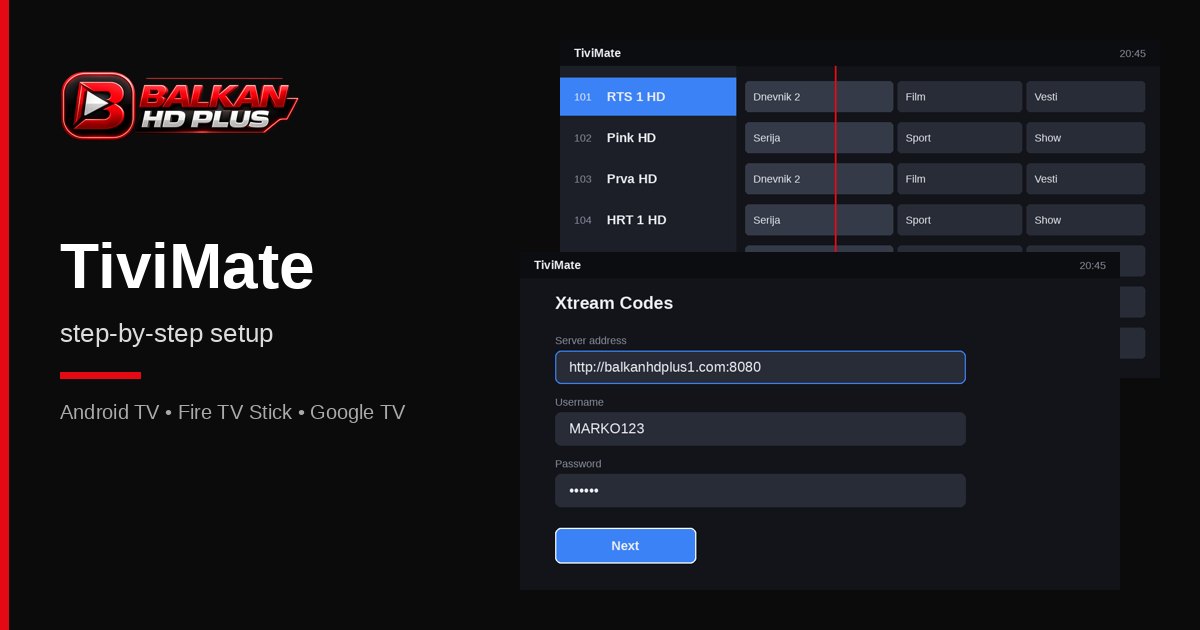
This is the most common problem for new users and it is almost always a typo. The server is entered exactly like this: http://balkanhdplus1.com:8080 – with http (not https), a colon and port 8080, no slash at the end. Username and password are case-sensitive. When you copy details from WhatsApp, the phone often adds a trailing space – and the login fails.
If you use an M3U link, make sure the whole link was copied. We explain the difference in M3U or Xtream Codes.
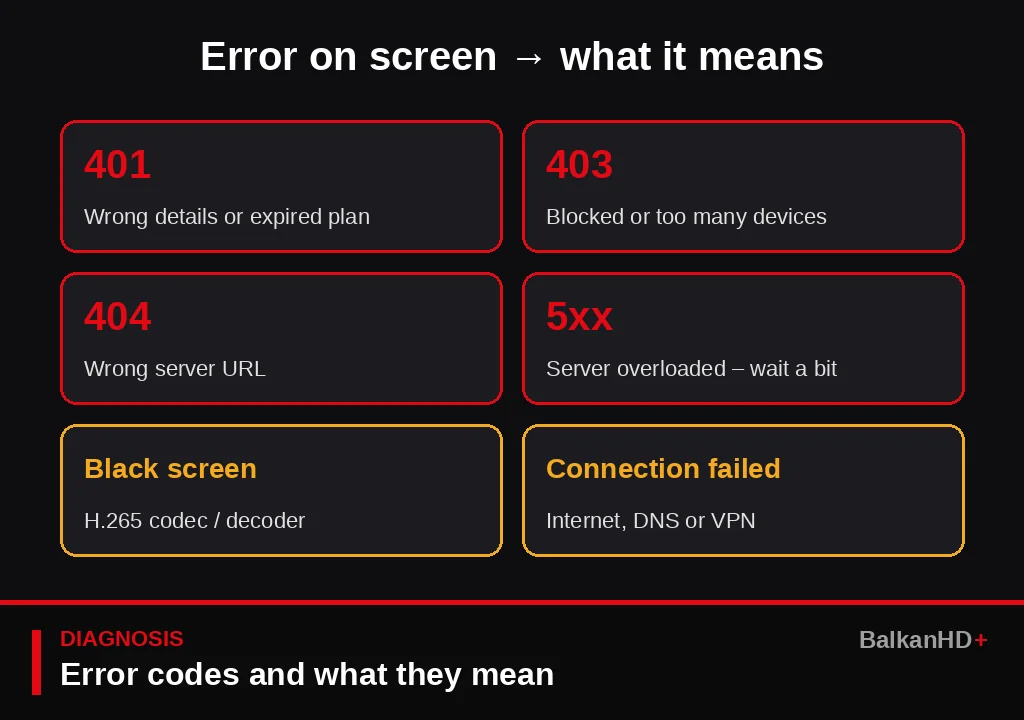
2. Error codes: 401, 403, 404, 5xx
Error 401 (Unauthorized)
The server does not recognise your details: either they were typed wrong or the subscription has expired. Check the expiry date in the player (usually under Account / User info). If the plan is active and the error stays – message us on WhatsApp.
Error 403 (Forbidden)
Two typical causes: too many simultaneous connections (the list is running on two devices but the plan covers one) or your ISP is blocking access. Close the player on every other device and wait 2–3 minutes for the old connection to drop. If it still fails, change your DNS (fix 5 below).
Error 404 (Not Found)
The server address is wrong or outdated. Check the URL and port.
Errors 500, 502, 503
Temporary server overload or maintenance. Wait a few minutes and don't retry the login dozens of times.
3. Black screen – sound but no picture
In 2026 more and more channels, especially 4K and FHD sport, broadcast in the H.265 (HEVC) codec. Older TVs (Samsung and LG before 2017), cheap Android boxes and phones cannot decode it – which is why you hear sound on a black screen. The fix:
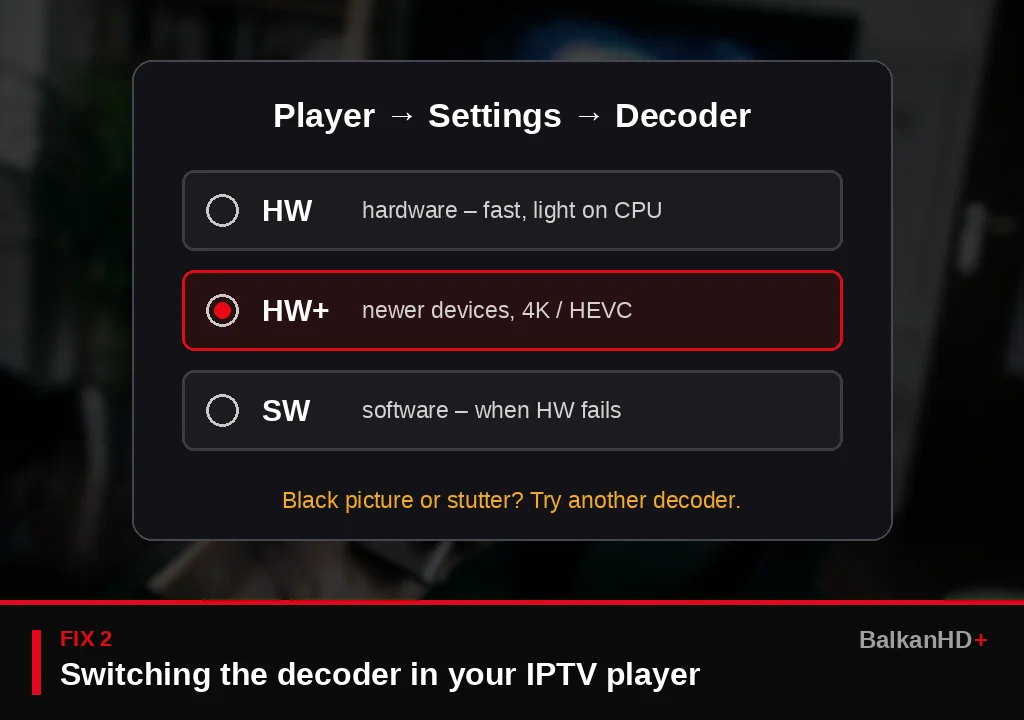
- Switch the decoder in your player: Settings → Player → Decoder → try HW, HW+ and SW.
- Pick the HD version of the same channel instead of 4K/FHD.
- In Smarters / IBO switch the player from “Native” to “VLC” or vice versa.
4. Picture freezes (buffering)
If the spinner keeps turning or the picture freezes, the cause is almost always your home network, not the server. The fastest fix is an Ethernet cable or 5 GHz WiFi. HD needs 15–20 Mbps, 4K around 30 Mbps – see how much internet for IPTV. The full list of 12 proven fixes: IPTV buffering – 12 solutions.
5. Your ISP blocks IPTV (DNS)
Some providers in Germany, Austria and Switzerland filter certain addresses through their DNS servers. Symptom: the list doesn't work on home internet but does on mobile data (hotspot). The fix is changing the DNS on your device or router to 1.1.1.1 (Cloudflare) or 8.8.8.8 (Google). On Android TV: Settings → Network → IP settings → Static, or use “Private DNS”. If you use a VPN, also try the reverse – turn the VPN off, as distant VPN servers often cause freezing.
6. The right restart (fixes more than you'd think)
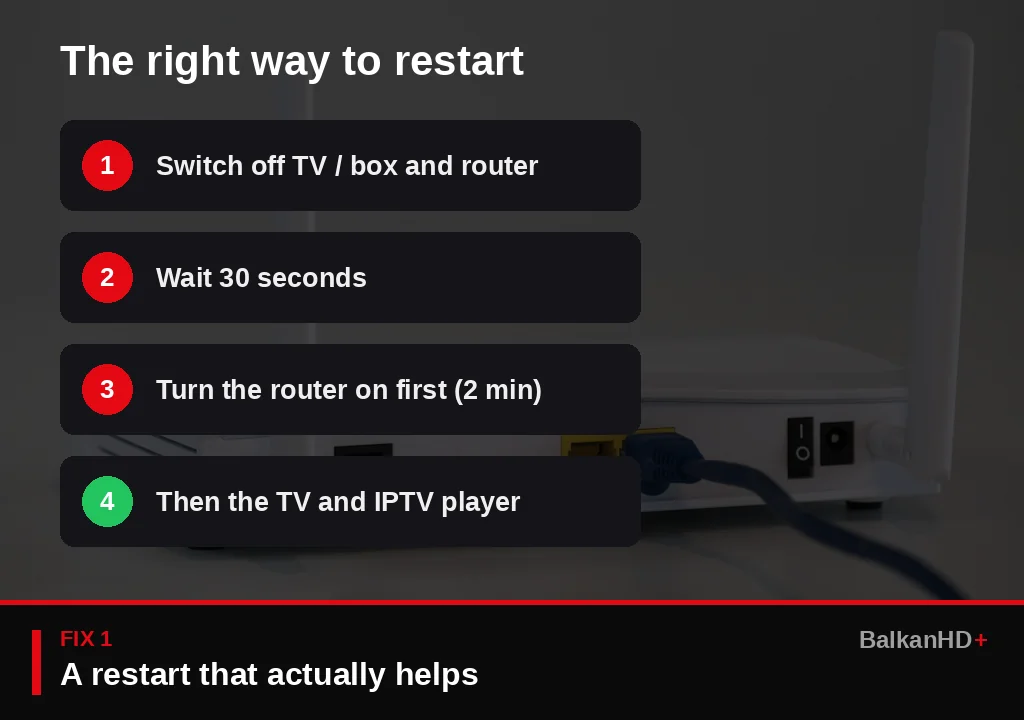
Restarting from the remote often only puts a Smart TV to sleep. A real restart: unplug the TV or box, switch off the router, wait 30 seconds, turn the router on first and wait two minutes, then the TV. This clears temporary memory errors and gives you a fresh IP address.
7. TV guide (EPG) is empty or shows the wrong time
- Update the EPG manually: in the player Settings → EPG → Update / Refresh. The first load can take up to 5 minutes.
- Wrong time (shows shifted by an hour or two): set the time zone in the player or “EPG time shift” (+1 / −1 h). Common right after daylight saving changes.
- Make sure the TV's date and time are set automatically – a wrong date breaks the EPG and catch-up completely.
8. Audio is delayed or missing
With a soundbar or AV receiver, set the TV's audio output to PCM or Stereo instead of “Auto/Bitstream” – many channels use AC3 audio that some devices don't pass through. Fix delays with Audio delay / Sync in the player. If only one channel has no sound, pick the audio track (speaker icon) – sometimes another language is selected.
9. App crashes, freezes or is slow
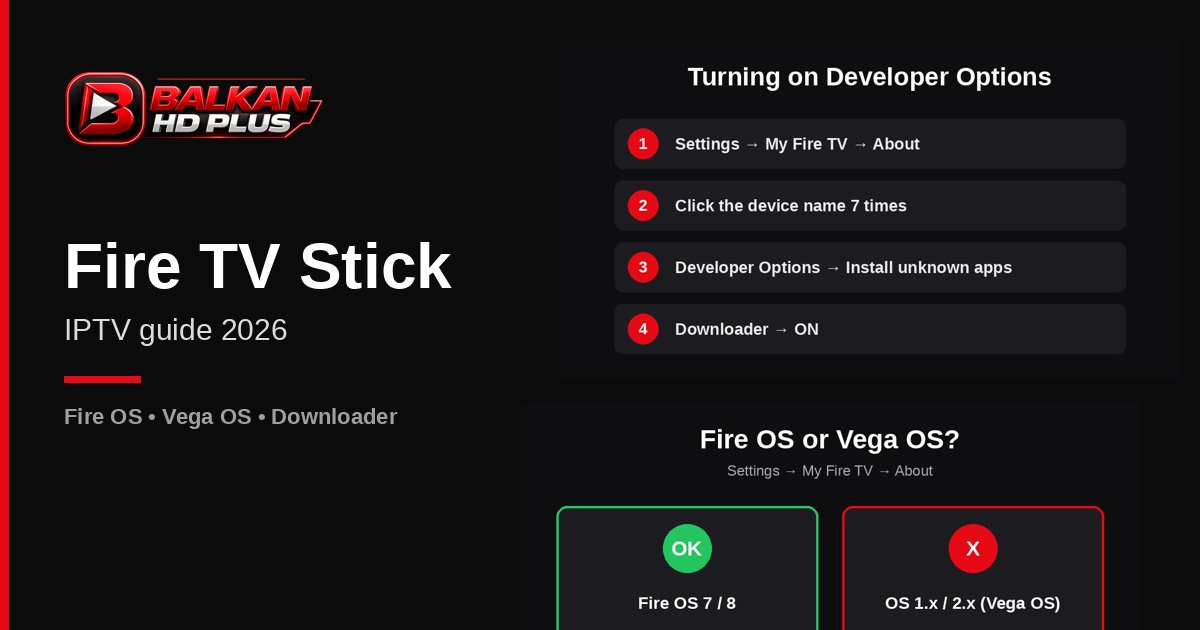
Clear the cache: on Android TV / Fire TV Settings → Apps → player → Clear cache (not “Clear data” – that deletes your list). Update the app and free up at least 1 GB of storage. On Fire TV Sticks running the new Vega OS (2025/2026 models) some players don't work at all – more in IPTV on Fire TV Stick 2026.
Ready to start?
First month €6. After that, €10/month or €100/year. No obligation to renew.
10. “Activation expired” – an app issue, not IPTV
Players such as IBO Player Pro, Duplex IPTV, Room IPTV and Smart IPTV require a one-off or yearly licence after the trial, tied to the TV's MAC address. “Trial expired” or “Activate your device” means the app licence has run out – your BalkanHD+ subscription is still active. Pay the licence only on the official app website; beware of fake copies with similar names.
11. Device-specific problems
Samsung (Tizen) and LG (webOS)
Apps sometimes disappear from the store after system updates. If your player vanishes, pick a proven one from IPTV on Smart TV. On LG turn off Quick Start+; on Samsung run Self Diagnosis → Reset Smart Hub now and then.
Android TV box and Google TV
Disable battery optimisation / “sleeping apps” for the player and keep Android System WebView up to date.
Phone and tablet
Turn off battery saver and allow background activity, otherwise the stream stops when the screen locks.
When to contact us
If you've done the quick diagnosis, the restart and the decoder switch and the problem remains – message us on WhatsApp. Send the device model, player name, channel and a photo of the error – that way we fix it in minutes.
Frequently Asked Questions
Why does IPTV work on my phone but not on my TV?
The phone is often on a different network or has a stronger processor with H.265 support. Check the TV's internet and try another decoder or player.
Does a VPN help with IPTV?
Only if your ISP blocks access. Otherwise a VPN slows the connection and causes more freezing – turn it off if you don't need it.
Can I watch on two devices at the same time?
Only if your plan includes multiple connections. Otherwise the second device gets error 403 or kicks off the first. Ask us about a multi-device plan.
Why do some channels work and others don't?
A single channel may be briefly under maintenance or broadcast in 4K/HEVC that your device doesn't support. Try the HD version.
How fast does my internet need to be?
15–20 Mbps for HD, around 30 Mbps for 4K per device. Stability matters more than speed – cable beats WiFi.
How much does BalkanHD+ cost?
You can start with a paid 6€ trial month. All packages are on the pricing page.
Ready to start?
First month €6. After that, €10/month or €100/year. No obligation to renew.
Haven't set up your list yet? Browse all setup guides or find out which IPTV app is best in 2026.