M3U or Xtream Codes? The Difference and Which to Choose (2026)
What an M3U playlist and an Xtream login are, which app supports what, how to turn Xtream details into an M3U link and common errors.
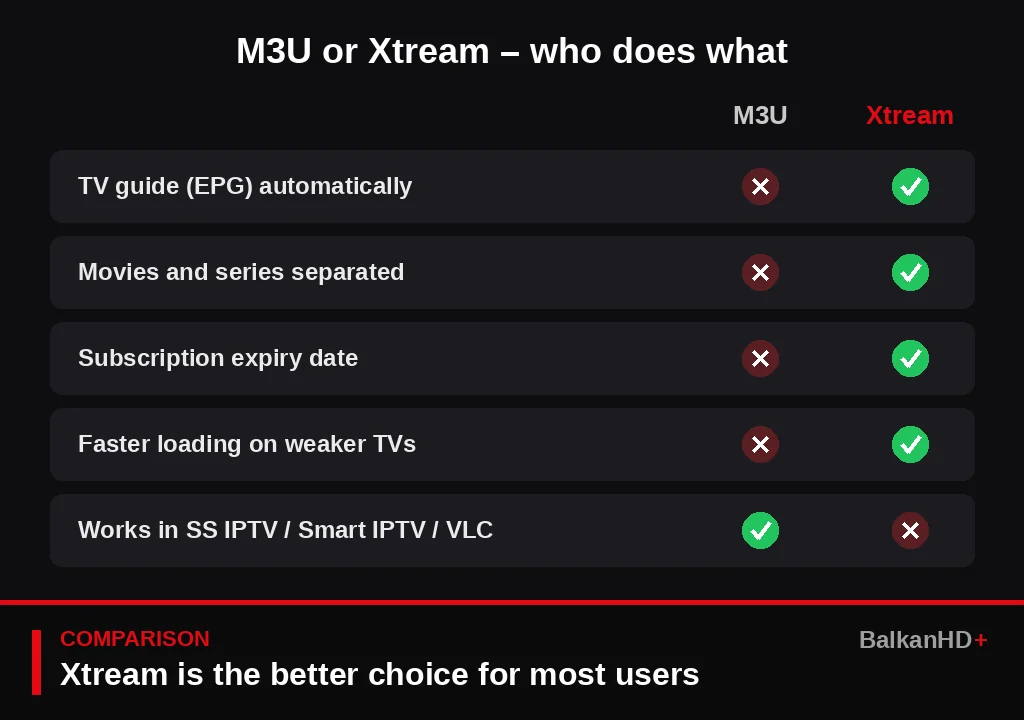
Short answer: if your player supports both, choose Xtream Codes – you get the TV guide automatically, movies and series separated, your subscription expiry date and faster loading. Use the M3U link only when the app has no Xtream login (Smart IPTV, SS IPTV, VLC, Kodi). Channels and picture quality are exactly the same – only the way the player receives the list is different.
What is an M3U playlist?
M3U is a plain text file – a list of channels. Each channel has an #EXTINF line with its name, logo and group, followed by the address the player streams from. When you add an M3U link, the app downloads the whole file at once.
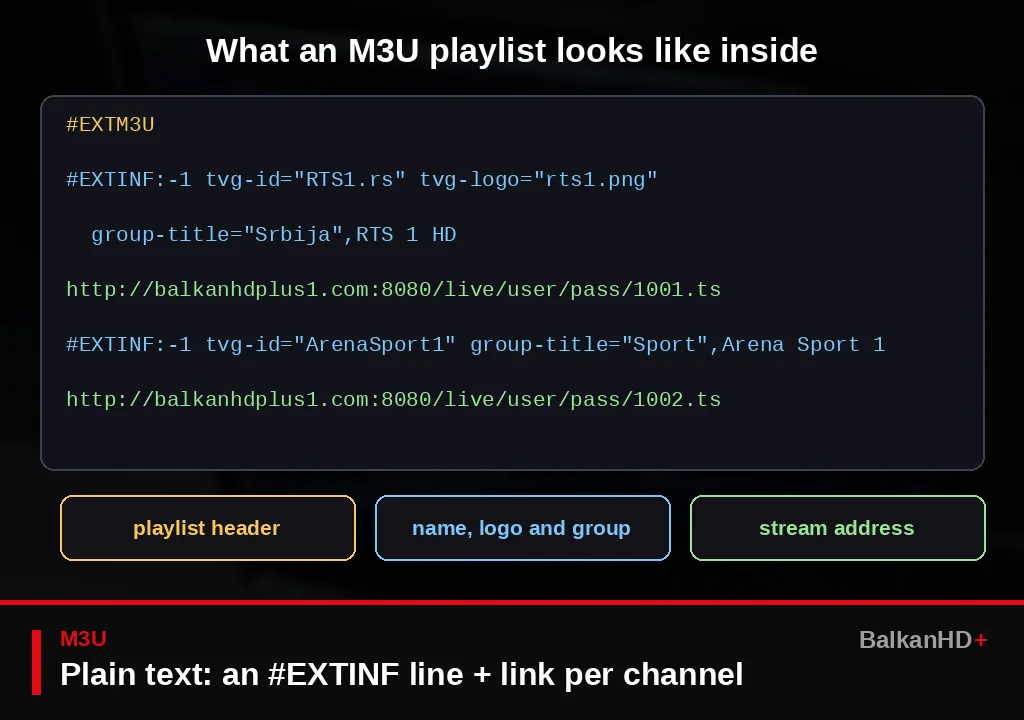
A list with 1,500+ channels and thousands of movies can be over 20 MB, so it loads more slowly on older TVs. The TV guide (EPG) isn't part of the M3U file – the player has to fetch it separately from an EPG address. M3U8 means the same list in UTF-8, or HLS streams.
What is Xtream Codes?
Xtream Codes is a login using a server, username and password. The original Xtream Codes software was shut down back in 2019, but its login format (the so-called Xtream API) became a standard that almost every IPTV player supports today. Instead of one huge file, the player asks the server only for what it needs: categories, channels, TV guide, movies and series.
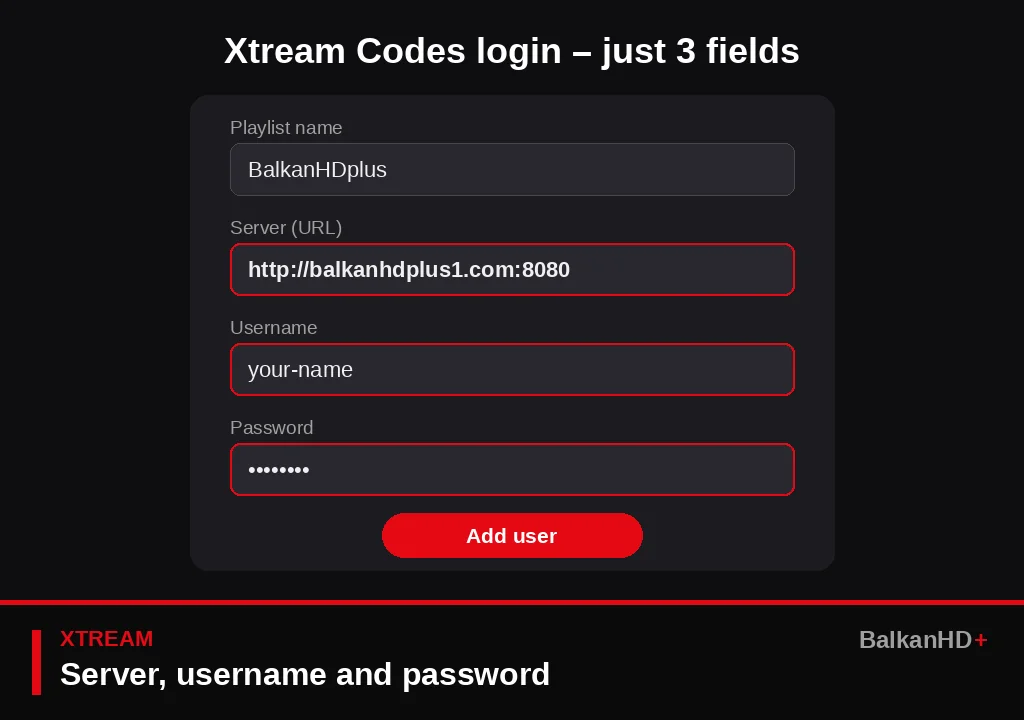
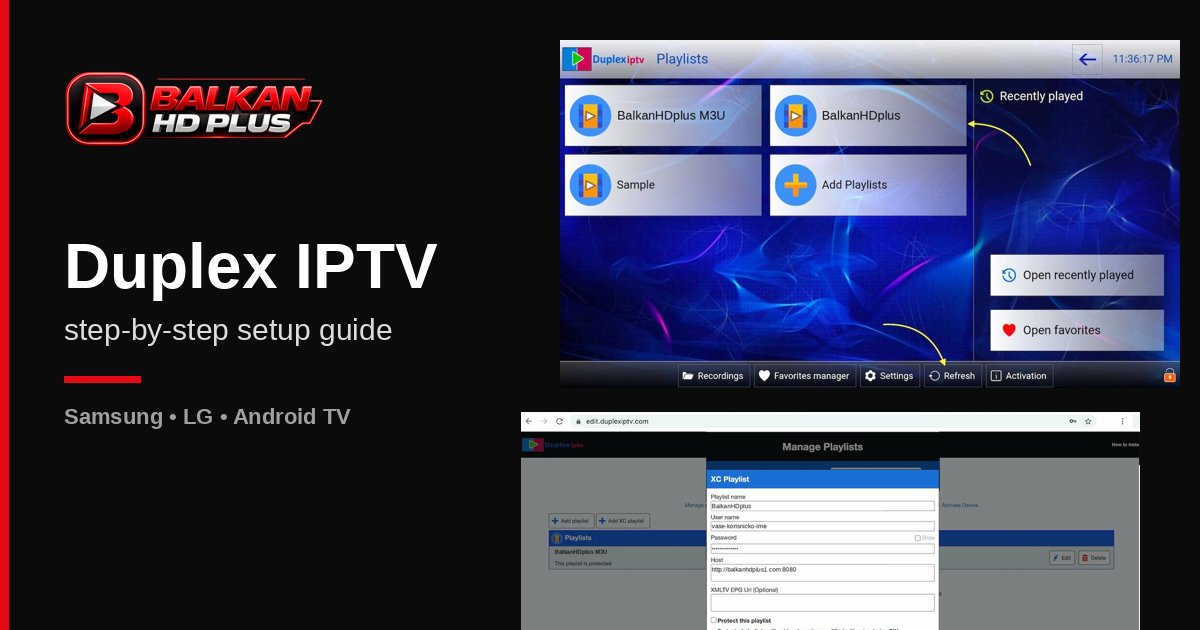
For BalkanHD+ enter the server exactly like this: http://balkanhdplus1.com:8080 – with http and no slash at the end. Username and password are case-sensitive.
The difference: M3U vs Xtream Codes
| M3U link | Xtream Codes | |
|---|---|---|
| What you enter | One long link | Server + username + password |
| TV guide (EPG) | Separately, via an EPG link | Automatic |
| Movies and series | Mixed in with channels | Separate categories with descriptions |
| Catch-up (rewind) | Depends on the player | Yes, where the channel supports it |
| Subscription expiry | Not visible | Shown in the player |
| Loading speed | Slower (whole file) | Faster (only what's needed) |
| New channels | After refreshing the list | Automatically |
| App support | Every app | Most modern apps |
Which apps support M3U and which support Xtream?
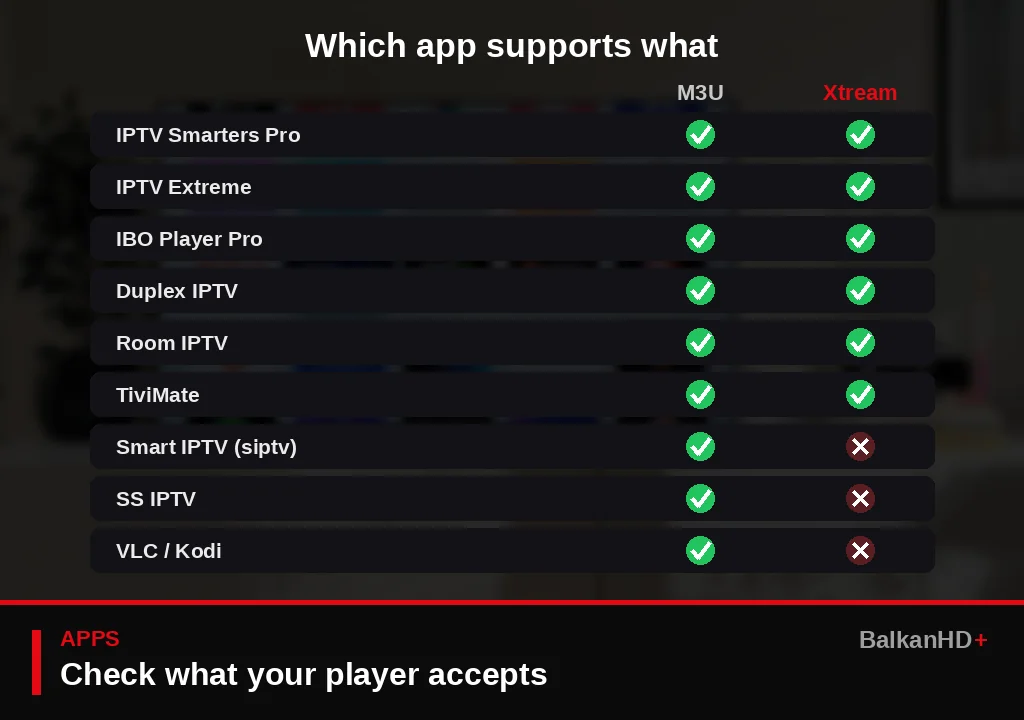
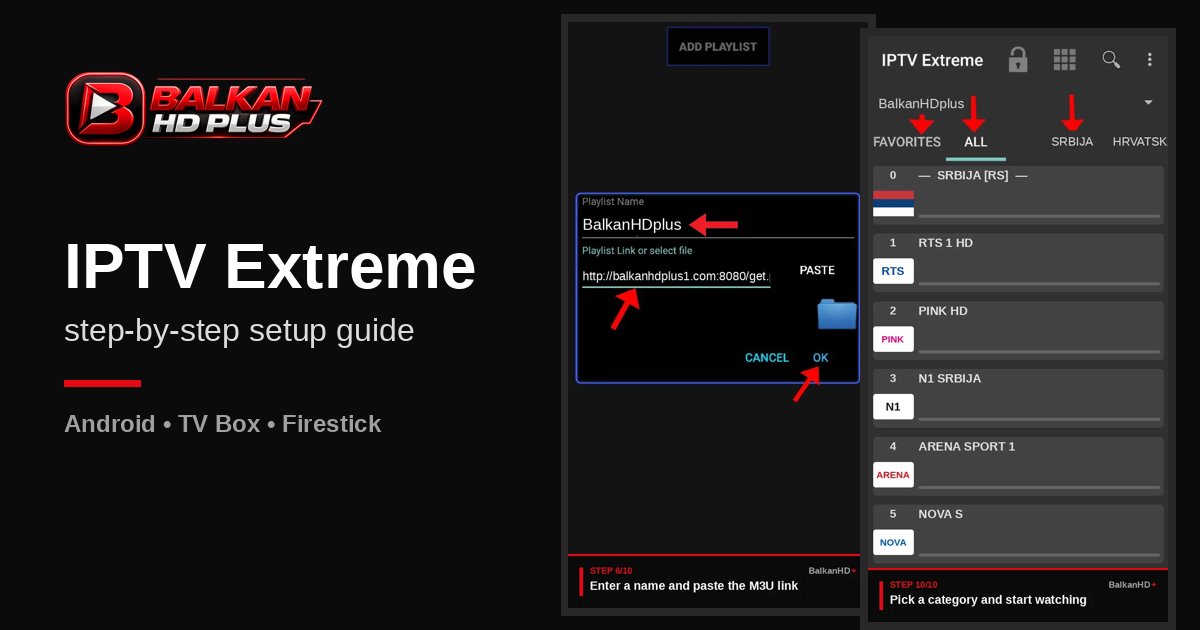
Step-by-step guides with screenshots for each app: IPTV Smarters Pro, IPTV Extreme, IBO Player Pro, Duplex IPTV, Room IPTV, Smart IPTV and SS IPTV. Still choosing? Read the best IPTV app in 2026.
How to turn Xtream details into an M3U link
If you only have Xtream details but the app asks for M3U, build the link with this template (replace USERNAME and PASSWORD with your details):
http://balkanhdplus1.com:8080/get.php?username=USERNAME&password=PASSWORD&type=m3u_plus&output=tsIf your device works better with HLS streams, replace output=ts with output=m3u8. The TV guide (EPG) address for players that ask for it separately:
http://balkanhdplus1.com:8080/xmltv.php?username=USERNAME&password=PASSWORDThe safest option is to message us on WhatsApp – we'll send you a ready-made link that's checked and working.
Ready to start?
First month €6. After that, €10/month or €100/year. No obligation to renew.
Common errors and fixes
“Playlist failed to load” or “Parse error” (M3U)
The link was cut off when copying or is missing type=m3u_plus. Copy the full link again. On TVs that crash while loading a big list, switch to the Xtream login.
“Invalid credentials” or “Login failed” (Xtream)
Almost always a trailing space after the username or password, https instead of http, or the missing port :8080. More in IPTV not working.
No TV guide
With M3U you also need to give the player the EPG address (above). With Xtream the guide arrives by itself – run Update EPG in the player settings.
Security: keep your details private
Both the M3U link and the Xtream details contain your password. Never post them in Facebook groups or forums, and don't enter them in dubious apps. If someone else uses your access you'll get error 403 because the connection limit is exceeded. If you think your details have leaked, contact us and we'll change your password.
Frequently Asked Questions
Is the picture quality better with Xtream?
No. Channels and quality are identical – Xtream is simply more convenient because the TV guide, movies and series come automatically.
Can I use M3U and Xtream at the same time?
You can save both in two players, but watching on two devices at once uses two connections. If your plan has one connection, the second device gets an error.
Which is better for Samsung and LG TVs?
If the player supports Xtream (IBO Player Pro, Duplex, Room IPTV), go with Xtream. Smart IPTV and SS IPTV only work with M3U – guide: IPTV on Smart TV.
What is M3U Plus?
An M3U list with extra data – channel logo, group and EPG tag (type=m3u_plus). Always better than a plain M3U list.
Why does my M3U list load so slowly?
A list with thousands of channels and movies is a big file. Switch to the Xtream login or ask us for a list with only the channels you watch.
How much does BalkanHD+ cost?
You can start with a paid 6€ trial month – you get both an M3U link and Xtream details. All packages are on the pricing page.
Ready to start?
First month €6. After that, €10/month or €100/year. No obligation to renew.
Ready to set up? Browse all setup guides.