Duplex IPTV Setup – Guide with Screenshots (Samsung, LG, Android TV)
Add your BalkanHD+ list to Duplex IPTV in 5 minutes with your Device ID and Device Key – no typing links with the remote.
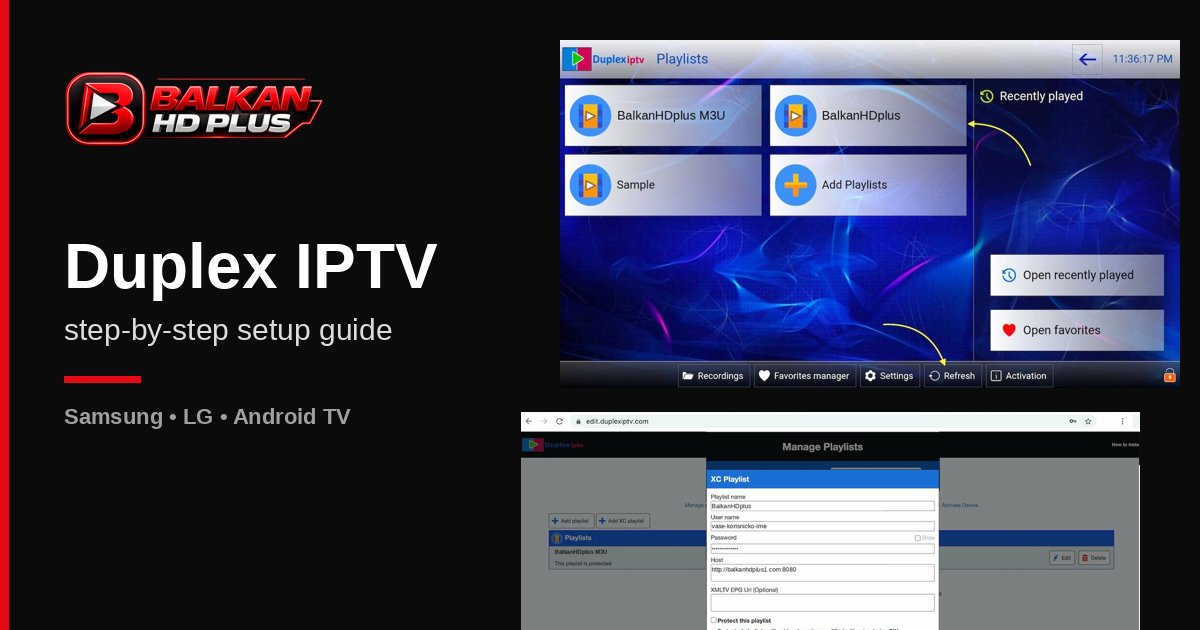
Note about apps: Your BalkanHD+ subscription does not include any app fees. Some apps are free, while others are paid separately to their developer. We are not affiliated with these app developers.
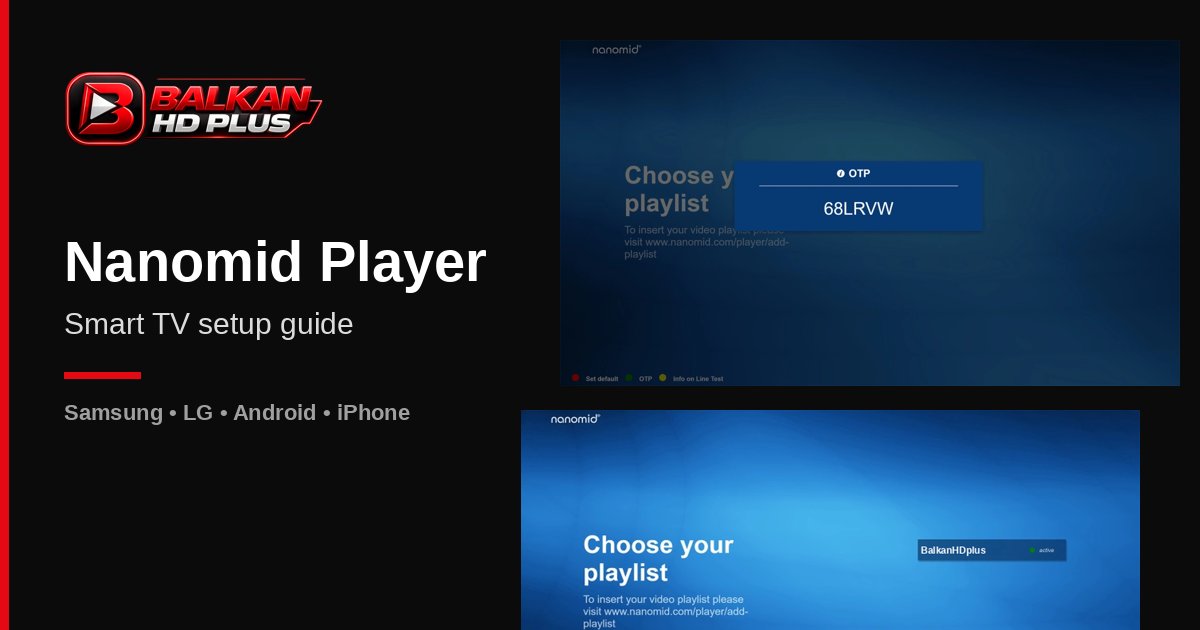
Duplex IPTV (Duplex Play) is one of the nicest-looking IPTV apps for Samsung, LG and Android TV: a clean menu, fast zapping and separate sections for movies and series. As with Nanomid, you never type the list with your remote – the TV shows a Device ID and a Device Key, and you add the BalkanHD+ list from your phone or computer on edit.duplexiptv.com. Here is the whole process with screenshots.
Before you start
- A TV or device – Samsung or LG Smart TV, Android TV, a TV box or Fire TV Stick.
- Your BalkanHD+ link from WhatsApp. It looks like this: http://balkanhdplus1.com:8080/get.php?username=MARKO123&password=abc456&type=m3u_plus
- A phone or computer to enter the list on the Duplex website.
- Duplex activation – the app has a free trial, after which it is activated with a one-off payment to Duplex (not to us). Check the price on duplexiptv.com.
How to read host, username and password from your link
Duplex offers two options: Add playlist (the full M3U link) and Add XC playlist (details entered separately). XC needs three values, and all three are already in your link:
- Host – everything before /get.php, i.e. http://balkanhdplus1.com:8080 – always including the port :8080
- User name – whatever follows username= (MARKO123 in the example)
- Password – whatever follows password= (abc456 in the example)
Prefer not to fiddle? Message us on WhatsApp and we will send the details already split out.
Step 1: Install Duplex IPTV
On Samsung open Apps, on LG the LG Content Store, on Android TV Google Play. Search for “Duplex” and install Duplex IPTV / Duplex Play.
Step 2: Find your Device ID and Device Key
Launch the app and choose Add Playlists on the Playlists screen. Instructions appear with two values in yellow: the Device ID (looks like 08:00:27:0E:38:B3) and the Device Key (a string of digits). Take a photo of the screen with your phone – you need both in the next step.
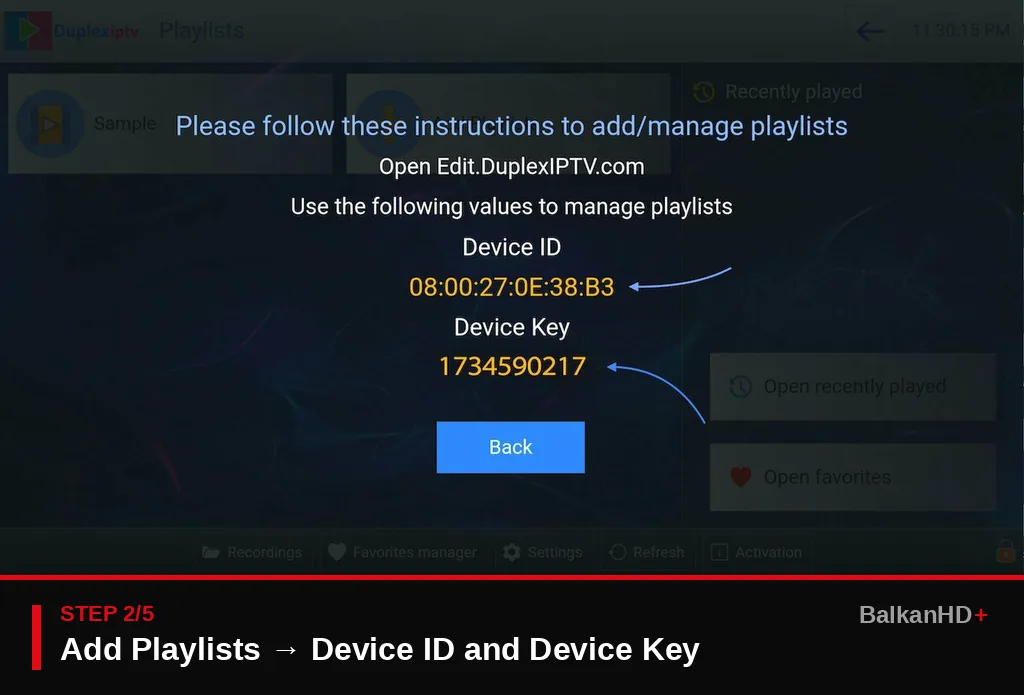
Step 3: Log in your device on edit.duplexiptv.com
On your phone or computer open edit.duplexiptv.com. Enter the Device ID and Device Key exactly as shown on the TV, tick “I'm not a robot” and click Manage Device.
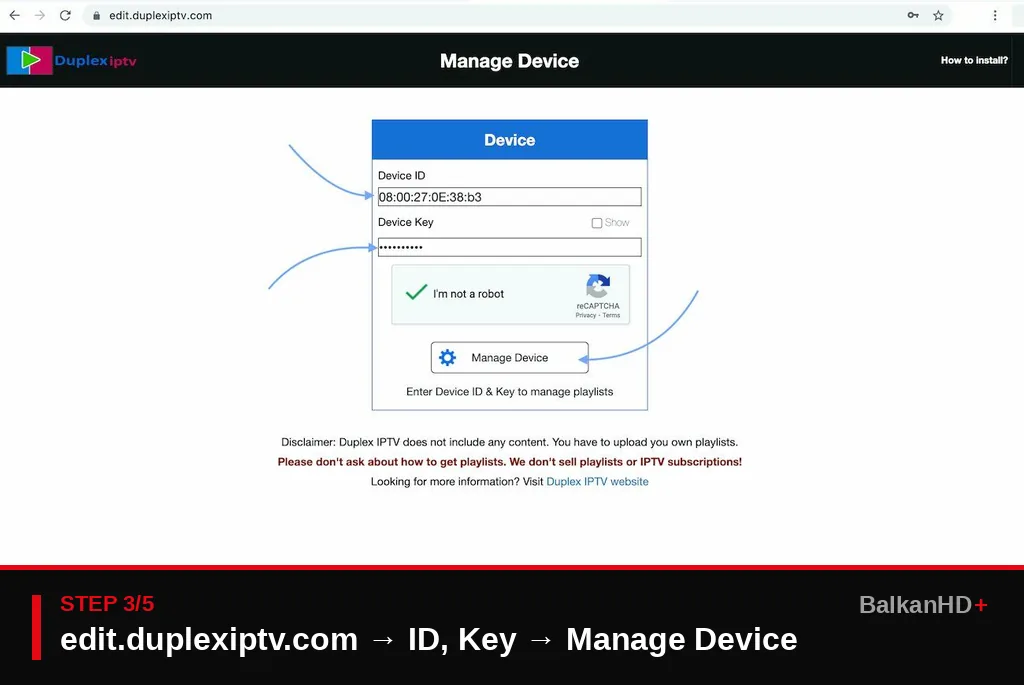
Step 4: Add your BalkanHD+ list
Click Add XC playlist and fill in: Playlist name – BalkanHDplus, User name and Password from your link, Host – http://balkanhdplus1.com:8080. Leave XMLTV EPG empty, complete the captcha and click Save.
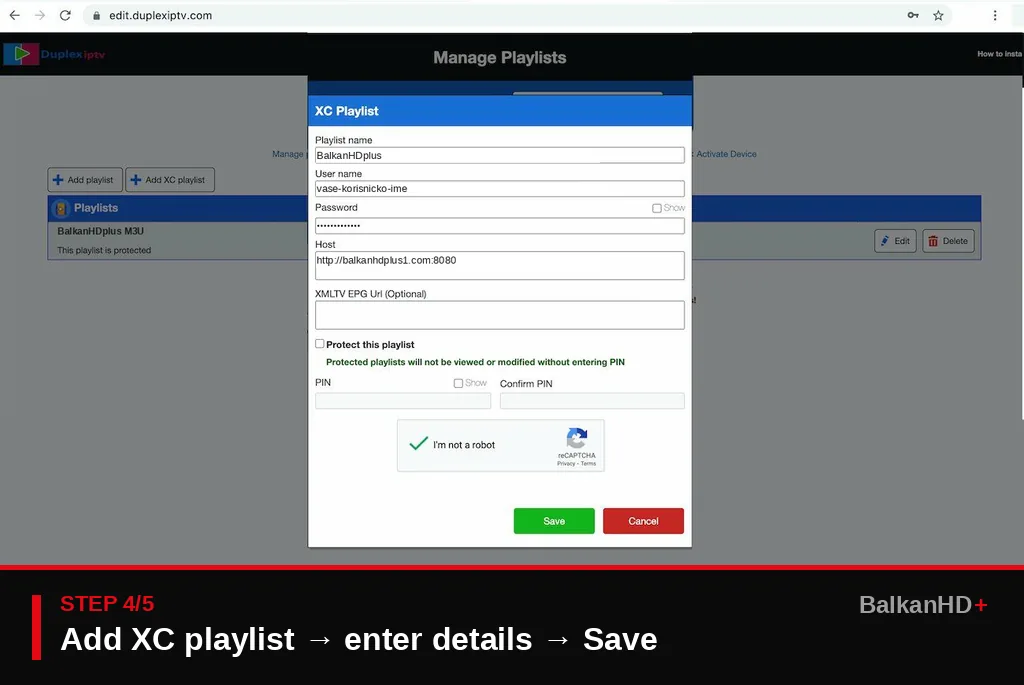
If you would rather use the full link, click Add playlist, type a name and paste the complete M3U link. Both give you the same channels; XC usually loads movies and series faster. We explain the difference in M3U vs Xtream Codes.
Ready to start?
First month €6. After that, €10/month or €100/year. No obligation to renew.
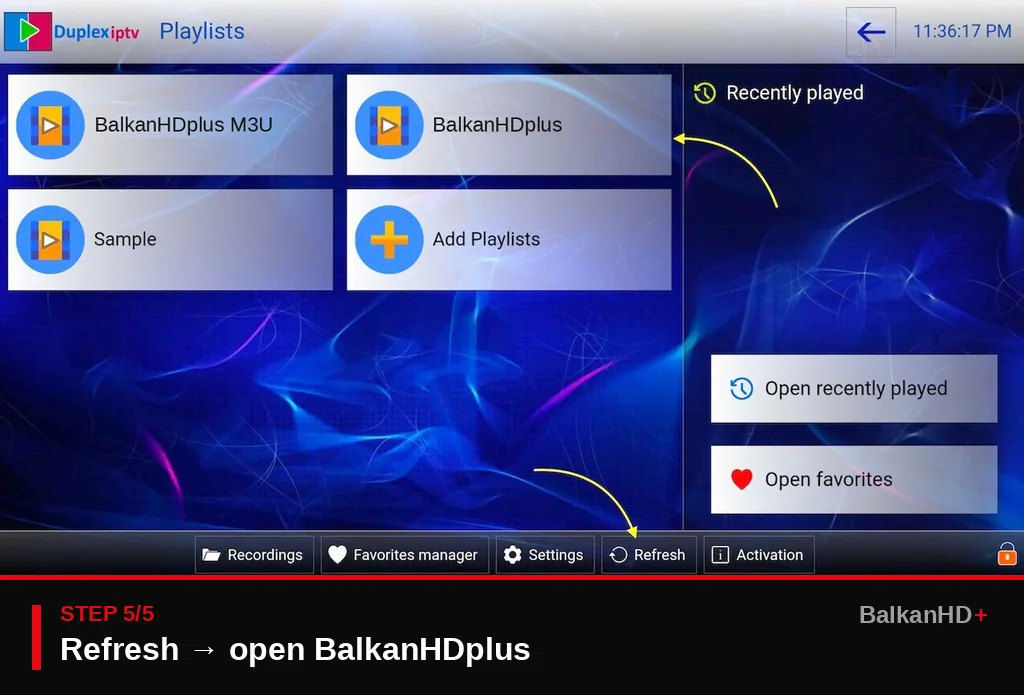
Step 5: Refresh and start watching
Back on the TV choose Refresh in the bottom menu. A BalkanHDplus tile appears on the Playlists screen. Open it and pick Live TV, movies or series – Serbian, Croatian, Bosnian, Montenegrin and Macedonian channels, sports and movie channels.
Common problems and fixes
The website says the Device ID or Key is wrong
Check letters and digits – 0 and O or B and 8 are easily mixed up. Enter the ID with the colons, exactly as on screen.
No list appears after Refresh
Make sure you clicked Save on the website and the list shows under Playlists. Then close the app completely and start it again.
The list appears but shows a loading error
The host is usually wrong – it must be only the part before /get.php (including :8080). If everything is correct, message us and we will check your subscription.
The app asks for activation
The free Duplex trial has ended. You pay Duplex for activation via the Activation button in the app; it is not part of your BalkanHD+ subscription.
The picture freezes
Connect the TV with a cable if you can. More fixes in IPTV buffering – 12 solutions.
Frequently Asked Questions
Is Duplex IPTV free?
It has a free trial, followed by a one-off activation paid to Duplex. Your BalkanHD+ subscription is separate.
Does Duplex include channels?
No. Duplex is just a player – channels, movies and series come from your BalkanHD+ list.
Can I lock the list with a PIN?
Yes. When adding the list tick Protect this playlist and set a PIN. Without it nobody can view or change the list on the website.
What happens when I renew?
Nothing to change – the details stay the same and the channels work as soon as you renew.
How much does BalkanHD+ cost?
You can start with a paid 6€ trial month. All packages are on the pricing page.
Ready to start?
First month €6. After that, €10/month or €100/year. No obligation to renew.
Looking for another TV app? See Nanomid Player, SS IPTV or browse all setup guides.