What Is IPTV and How Does It Work? A Simple Guide for 2026
IPTV without the jargon: how it works, what VOD, catch-up and EPG are, how it compares to satellite, cable and Netflix and what you need to start.
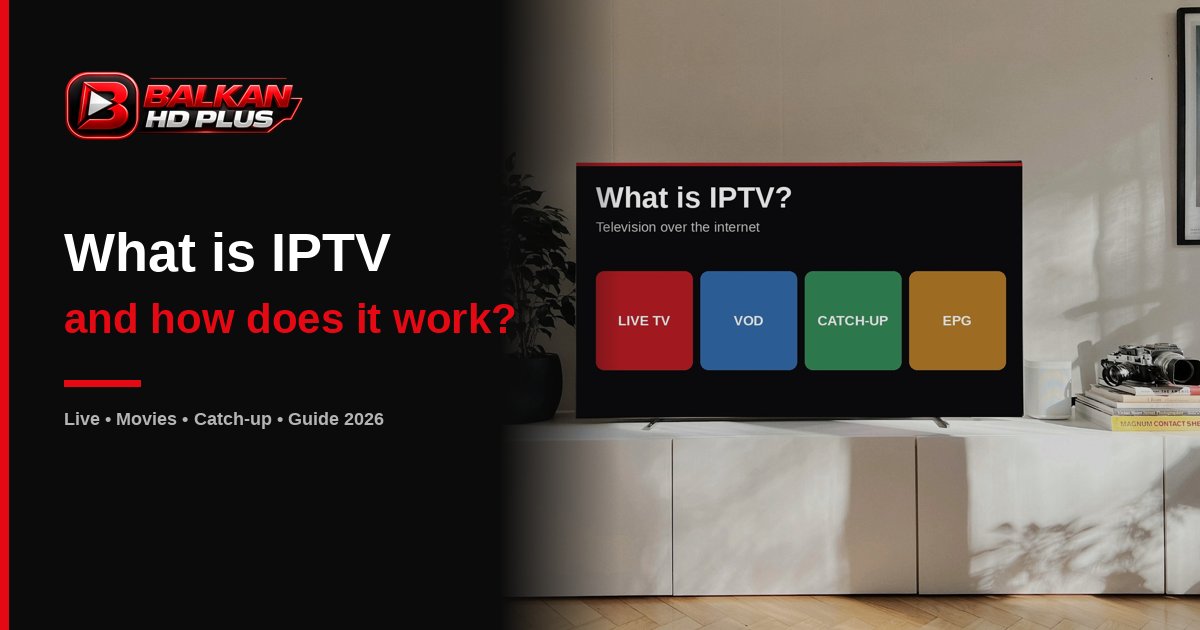
IPTV (Internet Protocol Television) is television delivered over the internet instead of an aerial, satellite or cable. Same channels, same picture – you just watch them through an app on a Smart TV, Fire TV Stick or phone. In this 2026 guide we explain simply how IPTV works, how it differs from satellite, cable and Netflix, what you need and what to watch out for.
How IPTV works – explained simply
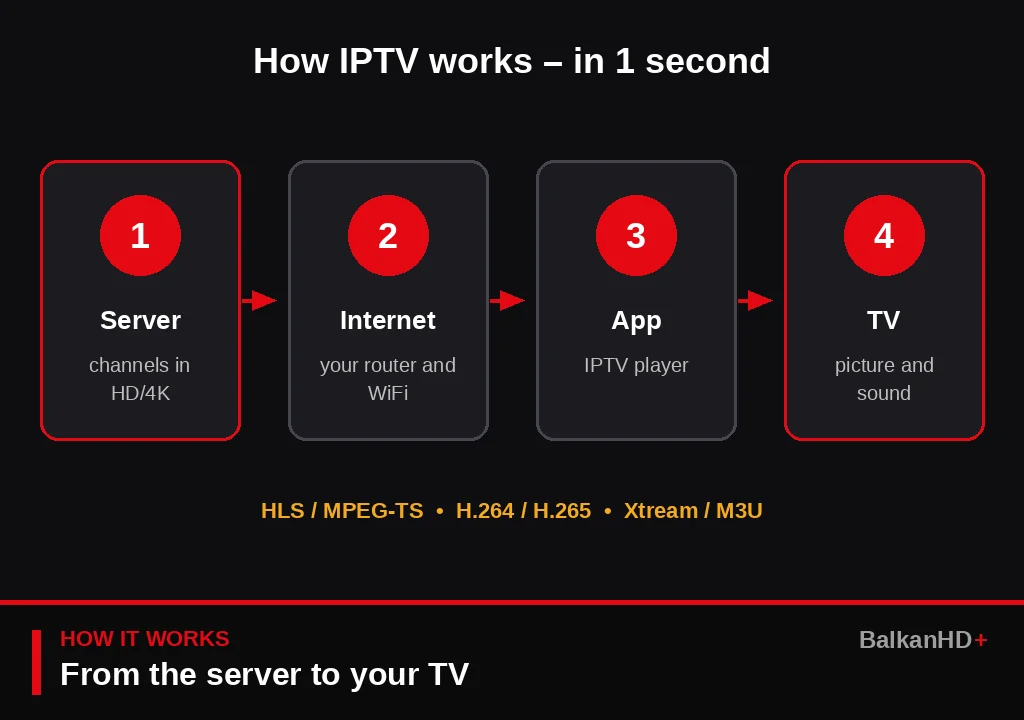
The channel is sent from the server in small pieces (segments) over the internet to your app, which stitches them into a continuous picture. The whole trip takes a fraction of a second. Technically, streams arrive as HLS or MPEG-TS, and the picture is encoded in H.264 or the newer H.265 (HEVC), which uses up to 40% less data for the same quality.
The app (player) logs in to the server in one of two ways: Xtream Codes (server, username and password) or an M3U link. We explain the difference in M3U or Xtream Codes.
What you get: live, VOD, catch-up and EPG
- Live TV – channels like classic television, sorted by country and category.
- VOD (video on demand) – movies and series whenever you want, like Netflix.
- Catch-up – rewind and watch a show you missed.
- EPG (TV guide) – what's on now and later, right in the app.
IPTV vs satellite vs cable vs Netflix
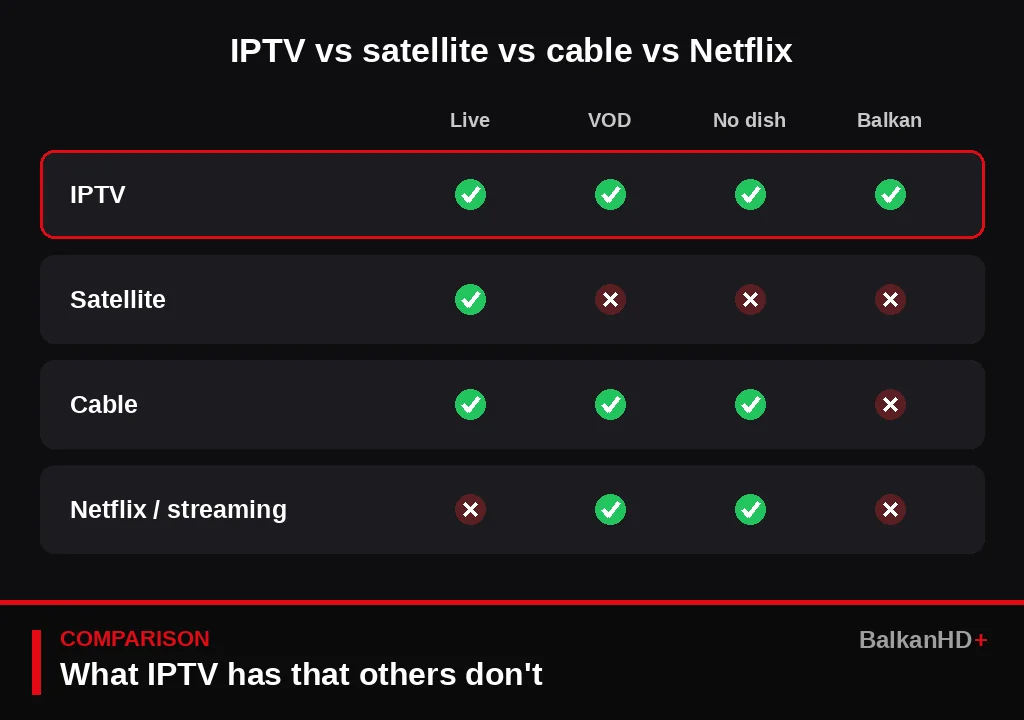
| IPTV | Satellite | Cable | Netflix / streaming | |
|---|---|---|---|---|
| Live channels | Yes | Yes | Yes | No |
| Movies and series | Yes | No | Partly | Yes |
| Dish needed | No | Yes | No | No |
| Balkan channels | All in one place | A few | A few in add-on packs | No |
| Contract | No long contract | Buy equipment | Often 12–24 months | Monthly |
| Works on the go | Yes, anywhere with internet | No | Limited | Yes |
Fun fact: big operators (MagentaTV, A1 Xplore TV, Swisscom blue TV) are technically IPTV too – the difference is the channel line-up. For the diaspora the key point is that an IPTV subscription brings every channel from the region, which local operators don't.
What you need for IPTV
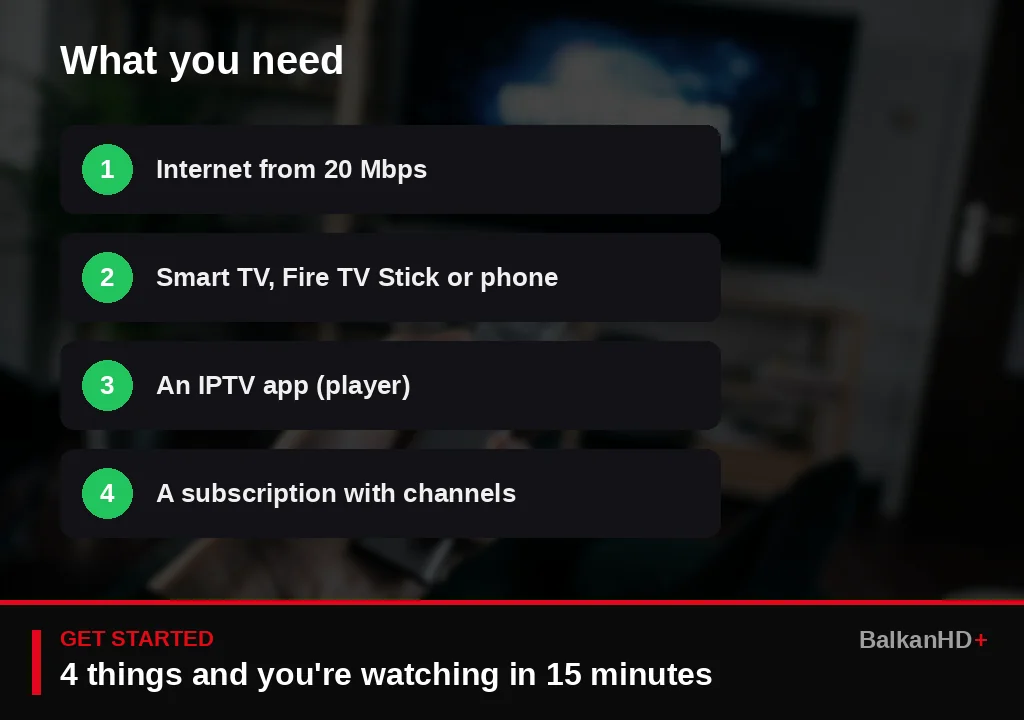
- Internet – about 20 Mbps per TV for Full HD (more on speed).
- A device – Smart TV, Fire TV Stick, Android box, phone or computer (best devices 2026).
- An app – a player such as IPTV Smarters, TiviMate or IBO Player (best app 2026).
- A subscription – the login details you get from us.
Important: the app is just an “empty” player with no channels. The channels come from the subscription.
Pros and cons of IPTV
Pros
- Every Balkan channel in one place, no dish.
- Movies, series and catch-up included.
- Works on several devices and when travelling.
- Simple setup, no technician.
Cons
- Depends on a stable connection – weak WiFi means freezing (12 fixes).
- Some Smart TV apps need a paid licence.
- Quality depends on the provider – so always try first.
How to spot a reliable IPTV provider
- There's a trial period before a longer plan.
- Support in your language (WhatsApp, not just e-mail).
- Guides for your device and help with setup.
- Both Xtream and M3U access.
- No unknown apps from dubious websites.
Ready to start?
First month €6. After that, €10/month or €100/year. No obligation to renew.
Frequently Asked Questions
What does IPTV stand for?
Internet Protocol Television – TV delivered over the internet instead of an aerial, satellite or cable.
Do I need a Smart TV for IPTV?
No. Any TV with an HDMI port plus a Fire TV Stick or Android box will do. It also works on phones and computers.
How much internet does IPTV need?
About 20 Mbps per TV for Full HD and around 35 Mbps for 4K.
Does IPTV work over WiFi?
Yes, ideally on a 5 GHz network. For the steadiest picture use an Ethernet cable.
Can I watch IPTV when travelling?
Yes, anywhere with internet – just log in to the app on your phone or the Fire TV Stick you bring.
How much does BalkanHD+ cost?
You can start with a paid 6€ trial month. All packages are on the pricing page.
Ready to start?
First month €6. After that, €10/month or €100/year. No obligation to renew.
Ready to try? Guides for every device are on the tutorials page, and if something doesn't work – IPTV not working – solutions.